MCP server ships in v2.2.3 — your DB as agent tools

Postgres never
leaves your editor.

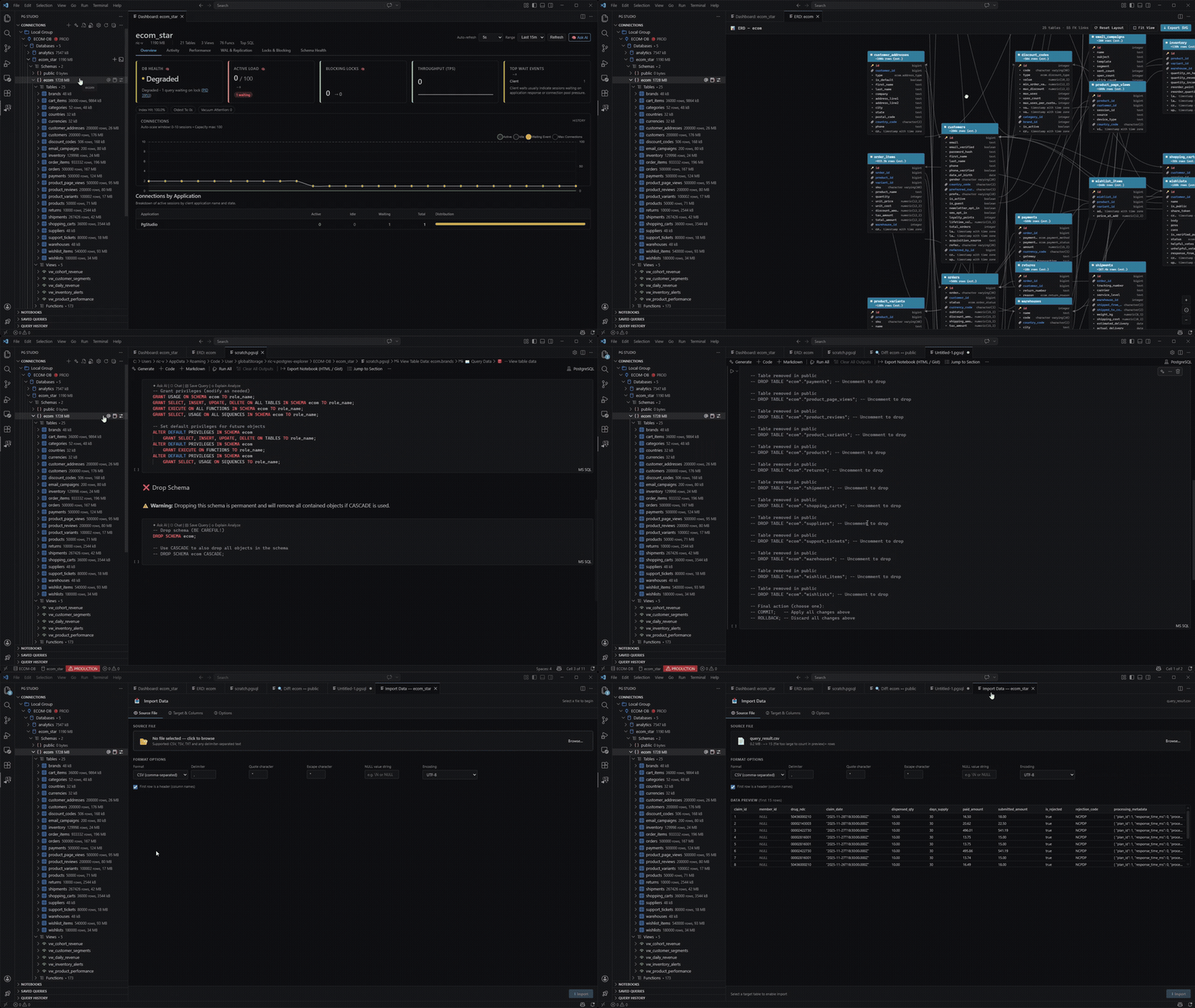
Explorer, SQL notebooks, live dashboard, visual designers and a schema-grounded AI assistant — one VS Code extension instead of a second app, a second window and a second mental model. Pick a NexQL theme in the header — all 39 palettes repaint this page live.

Install from Marketplace
PG 12–17 Neon, Supabase +
Free AI no API key
MIT core open source
installs

Interactive workspace

NexQL Workspace · Demo Project
Plan insight Index recommendation

Scroll — playground, features, MCP, pricing

NexQL helps developers query PostgreSQL in VS Code with notebooks, explorer navigation, schema tools, AI-assisted SQL generation, EXPLAIN analysis, and performance optimization workflows.

NexQL activated — demo_db connected

Try it — no install

Ask in English. Get SQL you can read.

Pick a question. The assistant grounds it in the live schema, writes the query into a notebook cell — and waits. Nothing runs until you press play. Prefer the full editor?

Safe by default. Generated SQL lands in a notebook cell. Auto-LIMIT caps runaway SELECTs, and writes against a Production-tagged connection need explicit confirmation.
SQL Assistantnexql-free · smart

Cell 1 · pgsqlwriting…

What's inside

Four surfaces, one extension.

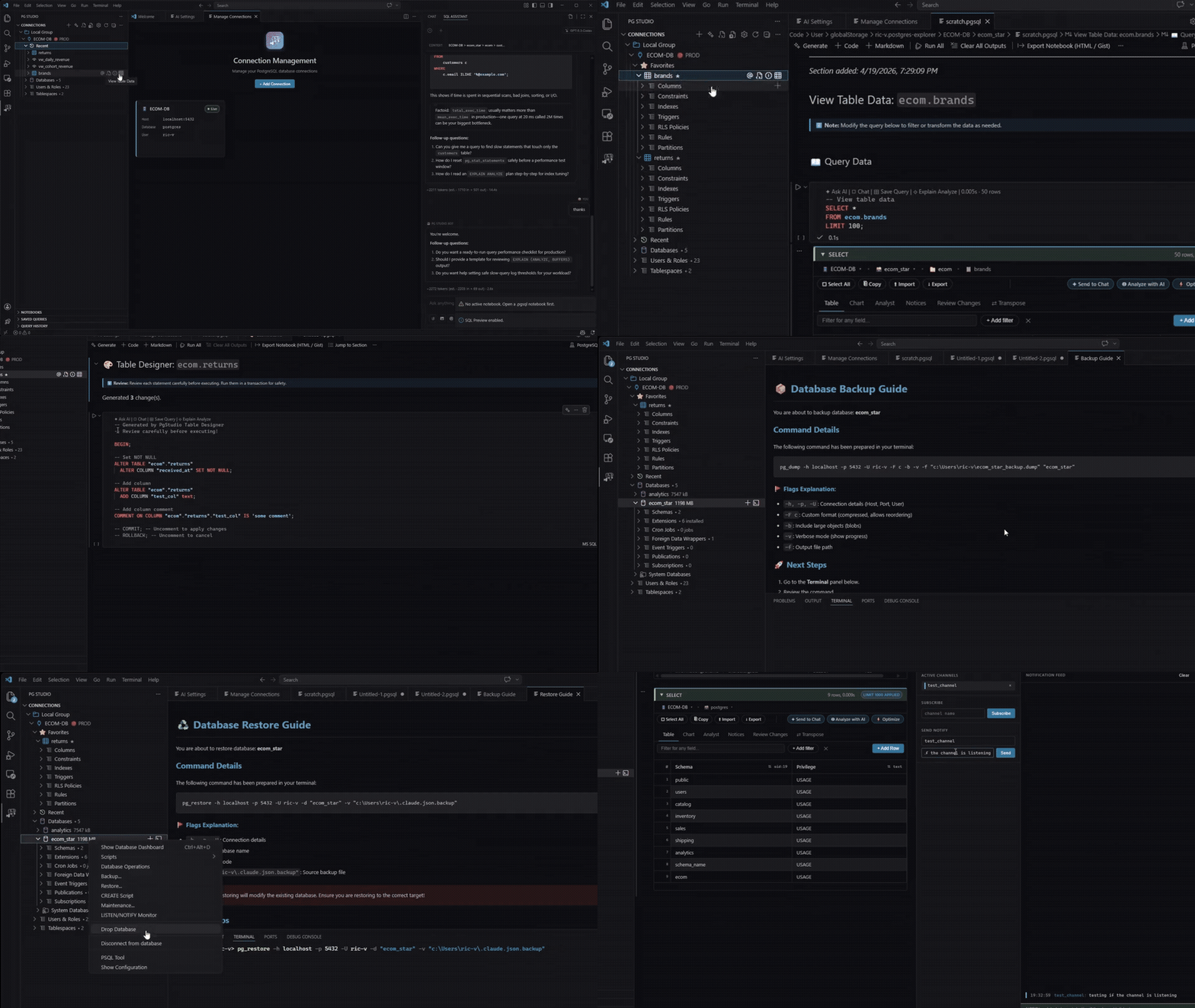
Everything below is a native VS Code surface — tree views, notebooks and webviews that follow your theme and your keybindings.

NB

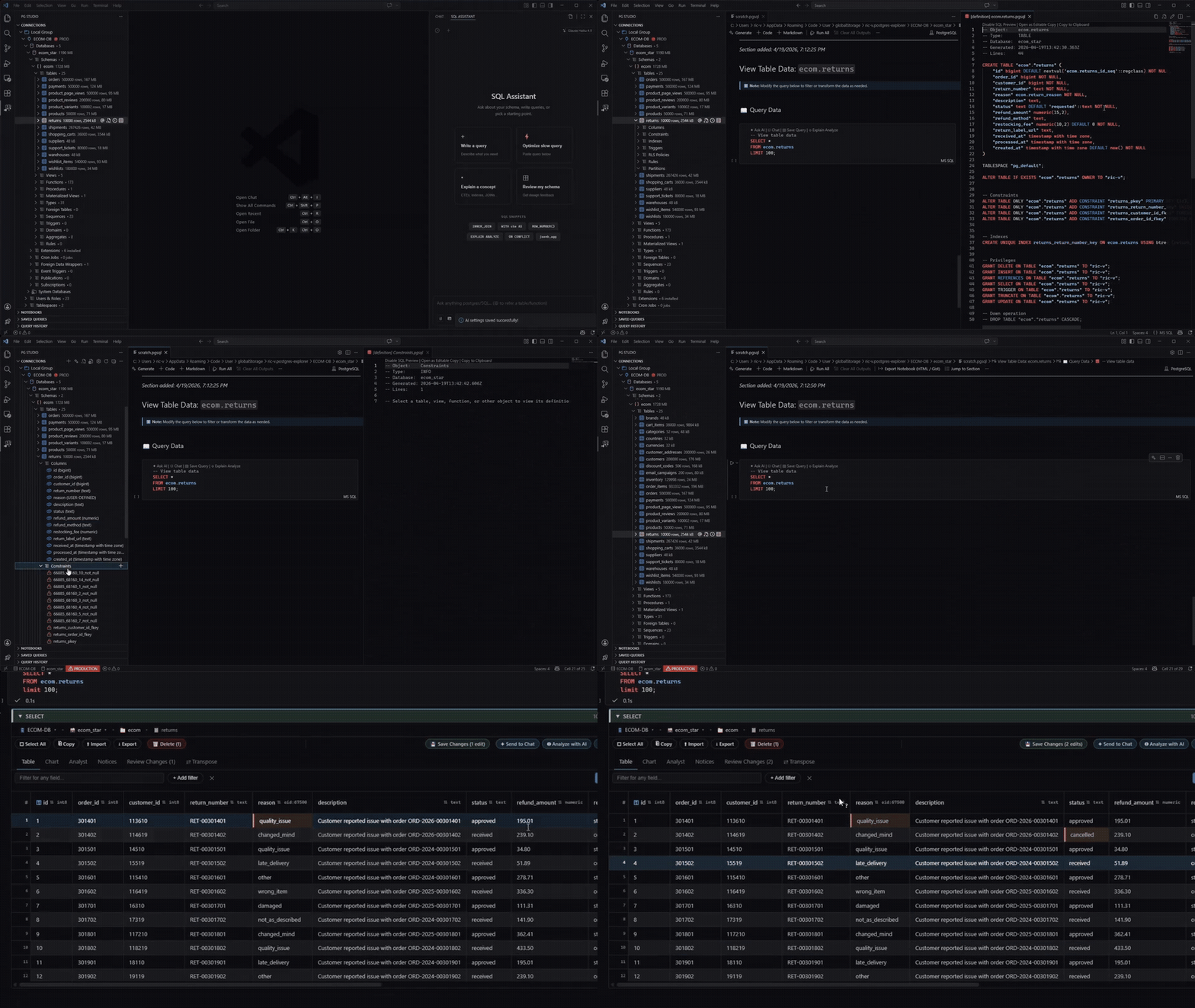
SQL notebooks

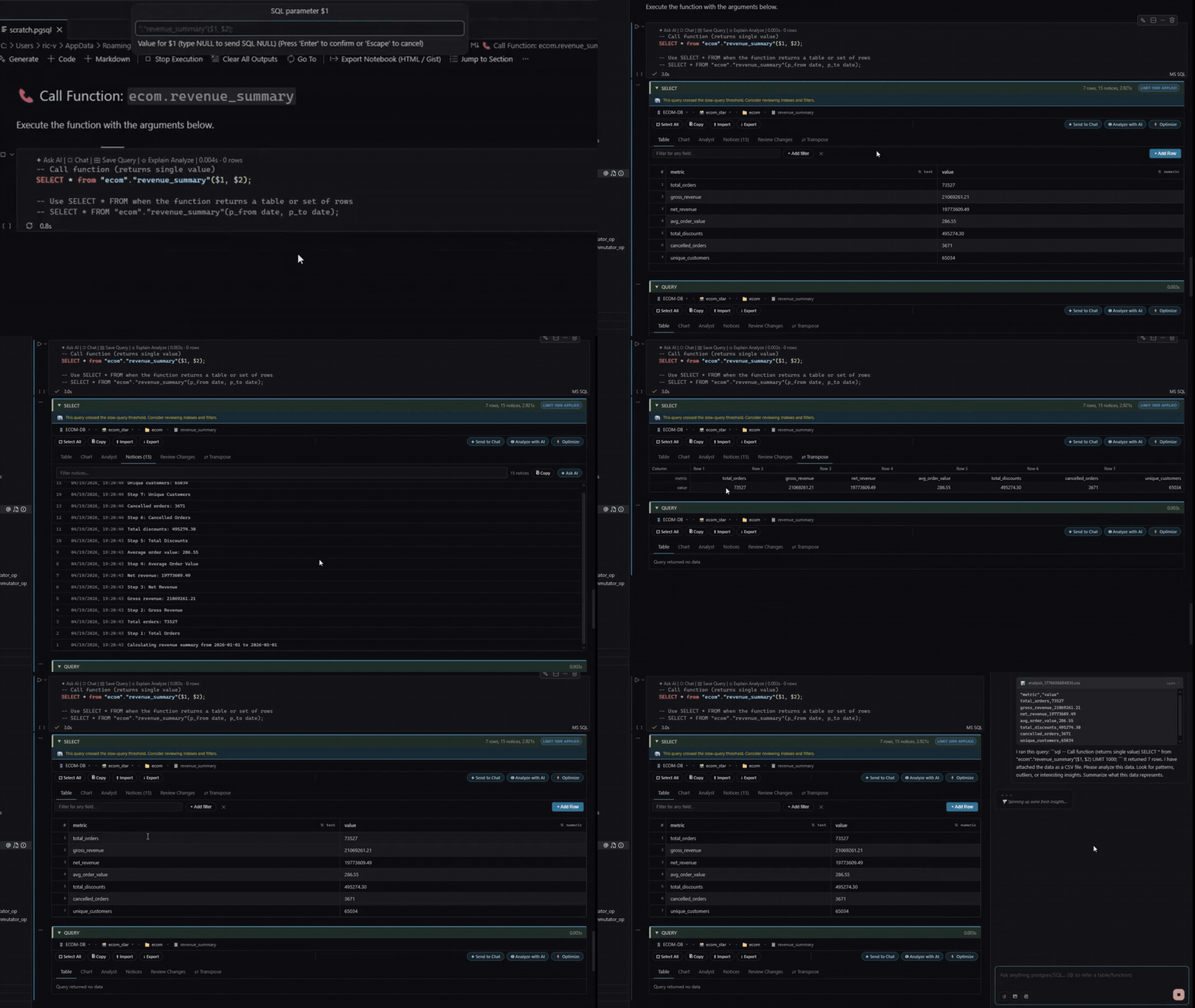
Native .pgsql notebooks with per-cell results, transactions that persist across cells and CodeLens actions on every query.

  • Sliding-window streaming for huge SELECTs
  • Column stats, transpose, filters, in-grid edits
  • Export CSV, JSON or Excel from the original SQL
AI

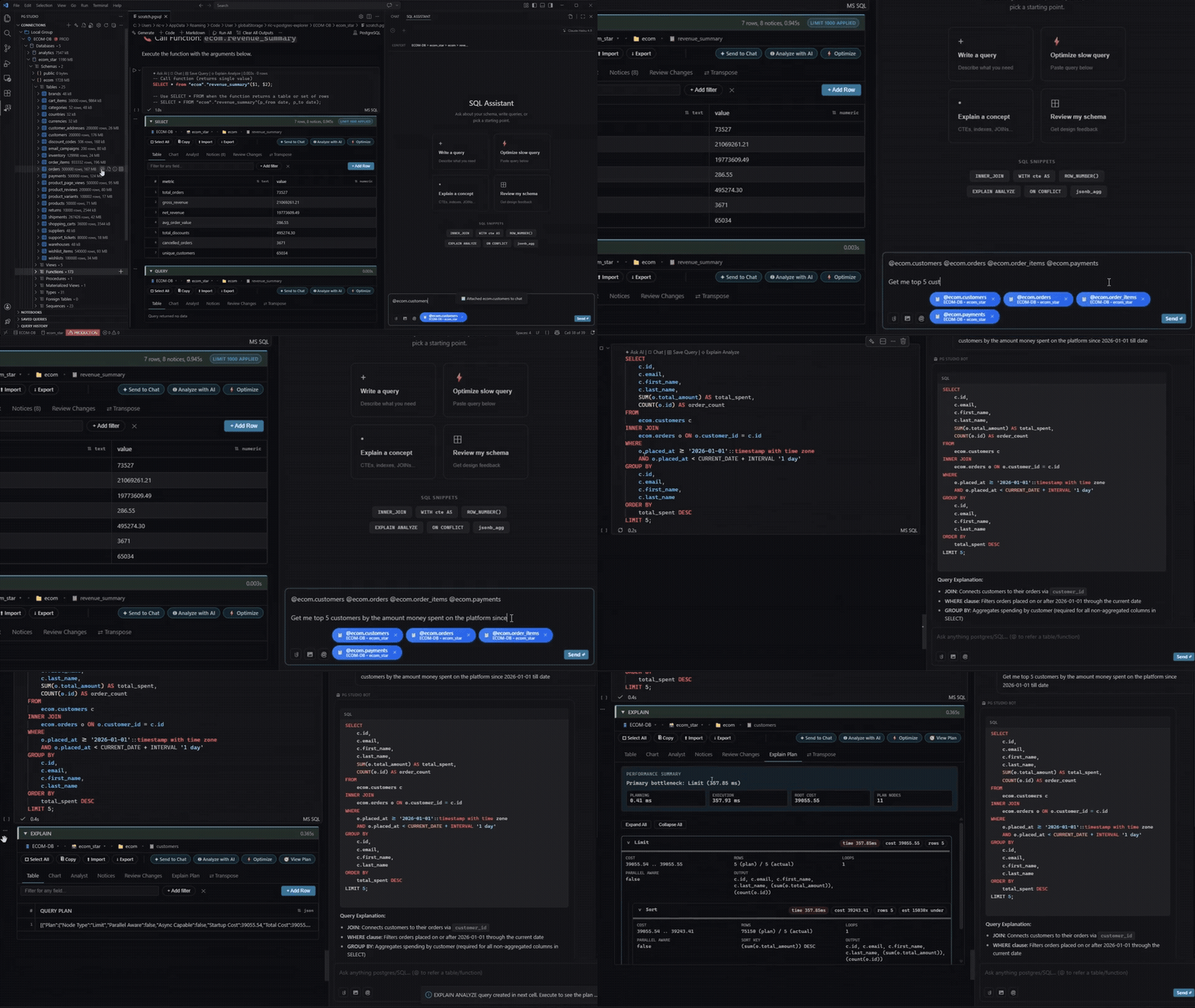
Assistant that reads your schema

Agentic tool-calling over your live catalog, with a collapsible trace so you can see exactly which objects it looked at.

  • Zero-config free tier, or bring your own keys
  • Drag tables, columns and notebooks in as @mentions
  • Explain and fix failing queries in the error cell
DB

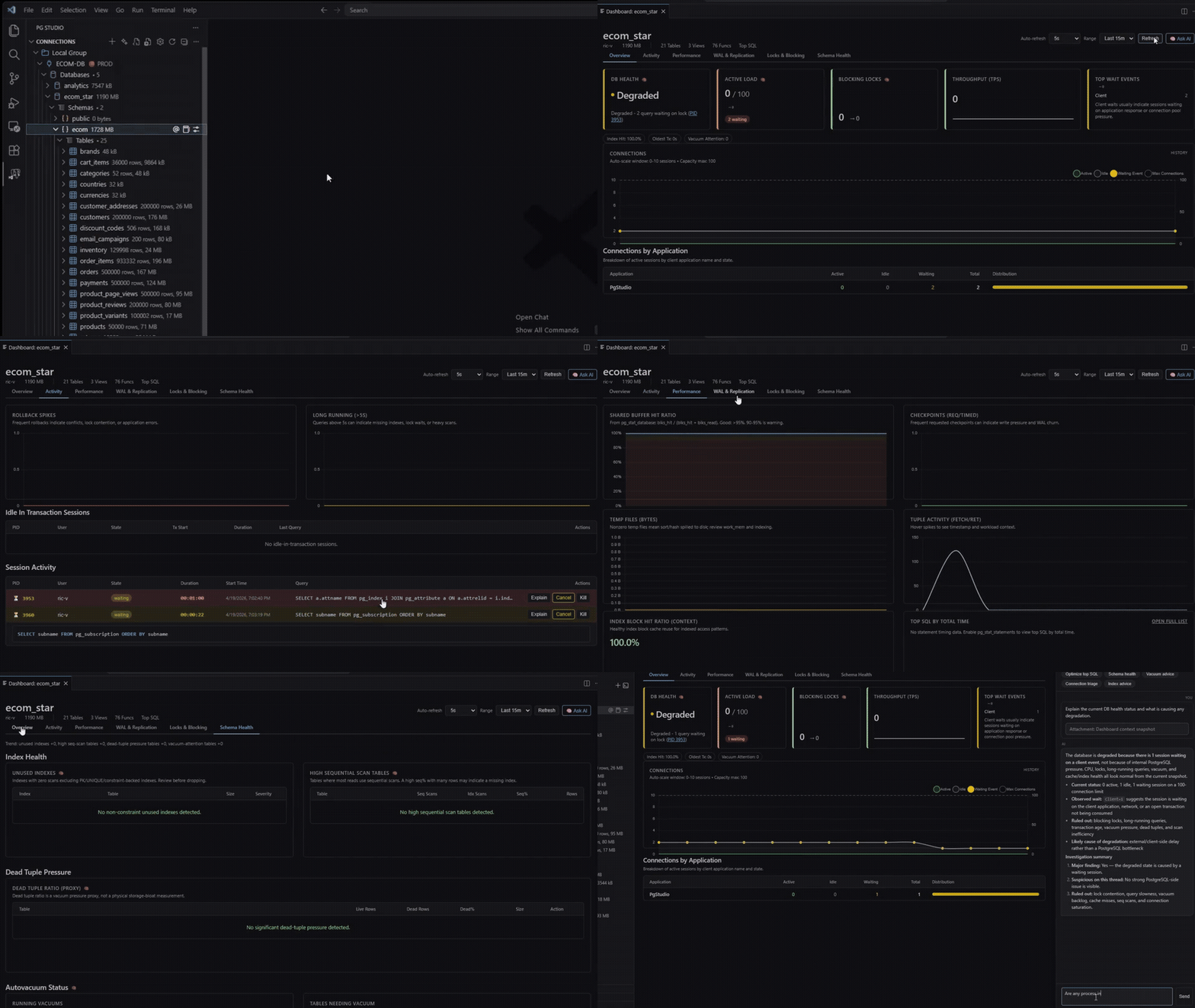
Live dashboard

Activity, locks, WAL and checkpointer stats, bloat, autovacuum progress and unused-index severity — refreshed in place.

  • Cancel or kill blocking queries inline
  • Ask AI about any metric without leaving the panel
  • Degradation alerts against a tracked baseline
SG

Production guardrails

Tag connections prod, staging or dev. NexQL tints the chrome, badges the status bar and scores every statement before it runs.

  • Read-only mode enforced at the connection
  • Risk multiplier and confirmation on prod writes
  • Auto-LIMIT on SELECT, configurable per workspace

In the editor

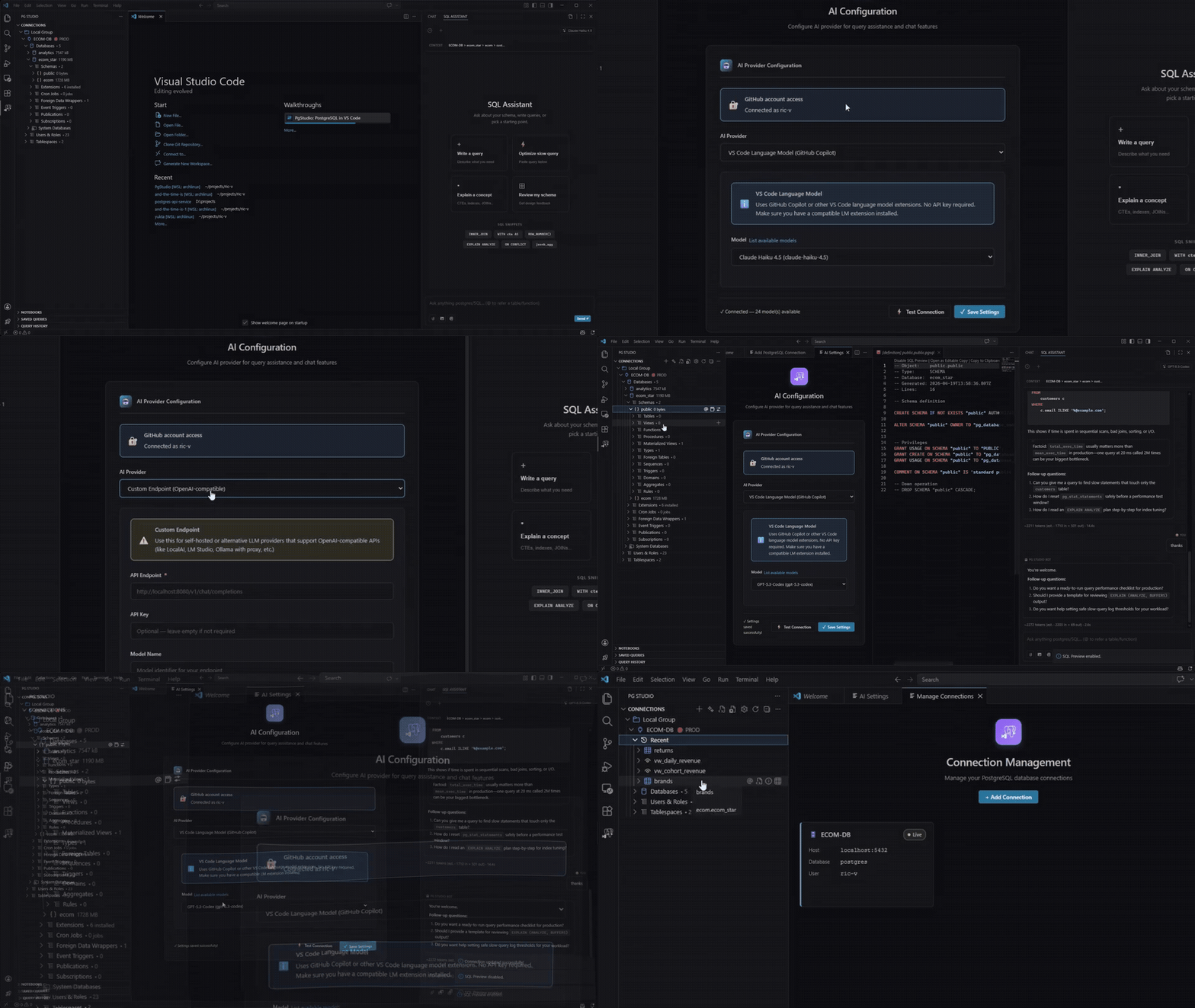
Set up an AI provider in under a minute.

NexQL Free AI is the default — no key, no account. Or bring your own: OpenAI, Anthropic, Gemini, GitHub Models, VS Code LM, Ollama, LM Studio and custom endpoints, each with its own key in OS-encrypted storage.

Configuring the NexQL AI assistant inside VS Code

MCP server · v2.2.3

Hand your database to any agent — read-only.

VS Code spawns the bundled nexql-mcp binary over stdio and registers it automatically. Copilot, Cursor, Claude Desktop and Codex discover your connections with no URLs, ports or tokens to paste.

GitHub CopilotCursorClaude DesktopCodexAntigravityAny MCP client

Initialize instructions tell every agent to verify the live schema before writing SQL — the single cheapest fix for hallucinated table names.

TOOLS EXPOSED
list_schemasschema discovery
list_objectstables, views, routines
describe_objectcolumns, types, comments
search_schemafull-text over names
run_selectSELECT / EXPLAIN only
explain_queryEXPLAIN ANALYZE plans
get_join_pathFK relationship traversal
get_table_statssize and row estimates
get_index_usagescan counts and waste
switch_connectioncontext switching

If it speaks the Postgres wire protocol, it works.

Integration-tested against PostgreSQL 12 through 17 every release, with version-gated fallbacks for managed platforms.

PostgreSQL
12–17, self-hosted or Docker
Neon
direct endpoint, sslmode require
Supabase
direct or session pooler (5432)
TimescaleDB
extension — everything works
YugabyteDB
YSQL on 5433, gated fallbacks
AWS RDS
SSL require, bastion via SSH
Aurora
cluster endpoint, full support
Cloud SQL
auth proxy or SSL certs
AlloyDB
real Postgres, no caveats
Azure Flexible
SSL require

Compare

You already have the window open.

CapabilityNexQLpgAdminDBeaverTablePlus
Lives in VS CodeNative
SQL notebooksInteractive .pgsql
AI assistantBuilt in, schema-grounded
MCP server for agentsBundled binary
Real-time dashboardYesYesLimitedLimited
In-grid editingYes, explicit commitYesYesYes
Export formatsCSV, JSON, ExcelCSV, JSONCSV, JSON, ExcelCSV, JSON, SQL
Foreign data wrappersFull managementYesLimited
LicenseMIT corePostgreSQLApache 2.0Proprietary

Pricing

Free is genuinely free.

Import, backup, indexing, notebooks and the AI assistant are unlimited on every tier. Subscriptions fund the work and lift the AI token ceiling.

Free
$0 forever

Everything you need to run a database from your editor.

Install from Marketplace
  • Explorer, notebooks, saved queries, history
  • Unlimited AI assistant + agentic mode
  • Import, backup/restore, database indexing
  • Smart AI tier — about 600K tokens/month
  • MCP server and live dashboard
Singularity
$9 /month

One flat licence covering a team of up to five developers.

  • Everything in Sponsor
  • Architect model — about 10M tokens/month
  • Up to 5 developers on one subscription
  • Cloud sync, workspace sharing, invites
  • Device-limit management

After checkout you’ll get a license key — click Activate in VS Code or runNexQL: Activate License from the command palette.
Already subscribed?Manage or cancel your subscription.

Open core

MIT, and shipping weekly.

The core builds a fully working free extension anyone may fork, rebrand and publish. Stable releases ship from version tags; nightlies publish on every merge tomain as a pre-release.

v2.2.32026-07-29stable
MCP server moves to stdio

VS Code now spawns the bundled nexql-mcp binary directly. Ephemeral profiles emit TLS settings for Neon, Supabase and RDS; SSH-tunnelled connections are named rather than failing opaquely.

v2.2.22026-07-17stable
Drag & drop into chat and notebooks

Drag tables, views, columns and routines from the explorer into the assistant as @mentions — or onto a cell for a formatted reference. Indexing gets an in-webview wizard and auto-rebuild of stale indexes.

v2.2.02026-07-09milestone
NexQL Free AI is generally available

Zero-config managed models behind a secure gateway, atomic monthly quotas and per-tier throttling. Data import, backup/restore and database indexing became unlimited on every tier.

Questions people actually ask

+Do I need an API key to use the AI features?

No. NexQL Free AI autoloads as the default provider — no key, no account, no configuration. If you would rather use your own, OpenAI, Anthropic, Gemini, GitHub Models, VS Code LM, Ollama, LM Studio and custom endpoints are all supported, each with its key stored separately in the OS keychain.

+Will it ever run a query without asking me?

No. The execution model is notebook-first: the assistant writes SQL into a cell and stops. You review it and press run. Risky statements against a Production-tagged connection require an extra confirmation on top of that.

+Is it actually open source?

The core is MIT and builds a fully working free extension you may fork, rebrand and publish under your own ID. The Marketplace build adds proprietary premium features on top of that core.

+Does it work with Neon and Supabase?

Yes — anything speaking the PostgreSQL wire protocol. Use the direct (non-pooler) endpoint on Neon, and direct or the session pooler on port 5432 for Supabase; transaction-mode poolers break cross-cell transactions, LISTEN/NOTIFY and temp tables.

+How are my credentials stored?

Through VS Code SecretStorage, which is encrypted by the OS keychain — Keychain on macOS, Credential Manager on Windows, libsecret on Linux. Nothing is written in plain text, and .pgpass files are supported.

+What does telemetry collect?

No SQL text, schema or object names, hostnames, database names, usernames or credentials. Payloads are allowlisted and bucketed, VS Code global telemetry is a hard gate, and the mode can be set to off.

Your database is one
keystroke away.

Install, add a connection, open a notebook. That's the whole setup.

Install — free